Ever found yourself wrestling with Roblox's object hierarchy, trying to grab a specific set of items or manage dynamic game elements efficiently? If you are a busy gamer and developer, balancing creative endeavors with life's demands, you know every scripting shortcut and optimization trick counts. This guide dives deep into the 'getchildren roblox script' method, a fundamental tool for any serious Roblox creator. We'll explore exactly what `GetChildren()` does, how it simplifies navigating your game's workspace, and crucial ways to use it for performance optimization and building engaging experiences. Discover its power in managing inventories, creating interactive environments, and even optimizing your UI. With game development constantly evolving and mobile gaming dominating a significant portion of the player base, understanding efficient object management like `GetChildren()` is more vital than ever to ensure smooth, lag-free gameplay on all devices. Learn how this powerful function can save you time and elevate your Roblox creations without unnecessary hype, focusing on practical, actionable insights for real-world scenarios.
What exactly does getchildren mean in Roblox scripting?
In Roblox scripting, the `GetChildren()` function is a fundamental method available on any `Instance` object. It means 'retrieve all the direct children objects immediately nested within this parent object.' For example, if you have a `Model` named 'House' with `Part` objects named 'Wall1' and 'Roof', calling `House:GetChildren()` would return a table containing 'Wall1' and 'Roof'. It's crucial for navigating and interacting with the game's hierarchical structure programmatically.
How can I use getchildren to find all parts in a specific model?
To find all parts in a specific model using `GetChildren()`, you would target the model instance and iterate through its direct children, checking if each child is a `Part`. A common pattern involves a loop: local myModel = workspace.MyHouse; for _, child in ipairs(myModel:GetChildren()) do if child:IsA("Part") then print("Found a part: " .. child.Name) end end. This script efficiently identifies and acts upon all direct part children within 'MyHouse'.
Why is getchildren considered a foundational Roblox scripting method?
`GetChildren()` is foundational because it provides a core mechanism for dynamic object management. Instead of hardcoding references to every object, developers can write flexible scripts that adapt to changing game layouts. This is essential for creating procedural content, managing UI elements, and building scalable game systems, allowing creators to efficiently build engaging experiences without constant manual updates. It streamlines development for busy gamers who value their limited time.
Is there a quick way to list all children of a player's character using getchildren?
Yes, there's a very quick way to list all children of a player's character. After getting a reference to the player's `Character` model (which is an `Instance`), you simply call `GetChildren()` on it. For example: local player = game.Players.LocalPlayer; local character = player.Character; if character then for _, child in ipairs(character:GetChildren()) do print(child.Name) end end. This will output names of body parts, tools, or accessories directly within the character model.
When should I choose getchildren over a `for` loop with `ipairs()`?
You use `GetChildren()` *before* a `for` loop with `ipairs()`. `GetChildren()` is the function that *generates* the table of children. The `for _, child in ipairs(myObject:GetChildren()) do` syntax is the correct way to iterate through that table. You wouldn't choose one over the other; they work together. `ipairs()` is used for iterating numerically-indexed tables, which `GetChildren()` returns, while `pairs()` is for all types of tables, including those with string keys.
What if I need to filter the results of getchildren by name or class?
To filter `GetChildren()` results by name or class, you iterate through the table it returns and apply conditional checks. For example, to find all 'Part' objects: local children = myObject:GetChildren(); for _, child in ipairs(children) do if child:IsA("Part") then -- do something with the part end end. For filtering by name, you'd use `if child.Name == "SpecificName" then`. This allows precise interaction with specific types or named children from a general list.
How does getchildren help prevent memory leaks in complex Roblox games?
`GetChildren()` itself doesn't directly prevent memory leaks, but its efficient use contributes to good memory management. By helping developers accurately identify and manage objects, it prevents unnecessary object creation or prolonged references to objects that should be destroyed. When objects are correctly removed and references cleaned up (e.g., using `Destroy()` on objects and setting references to `nil` after they're no longer needed), it reduces the risk of memory accumulating, which is crucial for smooth performance in complex games.
Balancing a demanding job, family life, and your passion for gaming can feel like a high-stakes balancing act. For many of us, gaming isn't just about unwinding; it's a creative outlet, a way to build skills, and connect with friends. When it comes to building your own worlds in Roblox, efficiency and smart scripting are key to maximizing your limited development time and delivering polished experiences. You don't want to spend precious hours troubleshooting clunky code when you could be refining gameplay or enjoying the fruits of your labor.
That's where fundamental scripting tools like the getchildren Roblox script come into play. It's one of those core functions that, when understood deeply, can dramatically streamline your development process and enhance game performance. With 87% of US gamers regularly dedicating 10+ hours a week to their passion, often across mobile and PC platforms, creating robust, lag-free experiences is more critical than ever. This guide is designed to empower busy creators like you to master `GetChildren()`, ensuring your Roblox projects are not just fun, but also efficient and maintainable.
We'll cut through the noise and focus on practical, actionable advice. No hype, just solid information to help you build better games, optimize performance, and perhaps even free up a little more time for that next gaming session or family dinner. Let's dive into how the `GetChildren()` method can become your best friend in Roblox Studio.
What is GetChildren Roblox script and why is it crucial for game developers?
The `GetChildren()` method in Roblox Lua scripting is a fundamental function that returns a table of all direct children of an Instance. Think of it like asking a parent object, 'Who are your immediate kids?' It doesn't look for grandchildren or deeper relatives, just the direct ones. This is crucial because Roblox games are built upon a hierarchical structure, where almost everything—parts, models, scripts, UIs—is an Instance nested within another. Understanding and utilizing `GetChildren()` allows you to programmatically interact with these nested objects.
For game developers, `GetChildren()` is indispensable for several reasons. Firstly, it enables dynamic object management. Instead of manually referencing every single part in a model, you can grab all of them in one go. Secondly, it's vital for creating scalable and maintainable code. Imagine building an inventory system or a level with many similar interactive elements; `GetChildren()` lets you iterate through them all without hardcoding each one. Lastly, it plays a role in performance optimization, especially when used correctly to avoid unnecessary searches or manipulations of objects that aren't direct children, which can be particularly impactful given the prevalence of mobile gaming where every bit of performance counts.
How do you use the GetChildren function in a basic Roblox script?
Using the `GetChildren()` function is quite straightforward. You call it on any `Instance` object, and it returns a Lua table containing all of its direct children. This table can then be iterated through using a generic `for` loop, typically with `ipairs` or `pairs`.
Here's a basic example:
local workspace = game.Workspace
local childrenOfWorkspace = workspace:GetChildren()
for i, child in ipairs(childrenOfWorkspace) do
print("Child of Workspace: " .. child.Name .. " (Class: " .. child.ClassName .. ")")
end
In this script, `game.Workspace:GetChildren()` retrieves a table of every object directly under the Workspace. The loop then goes through each `child` in that table, printing its name and class name to the output. This simple pattern forms the basis for most of its applications, allowing you to access, modify, or analyze objects without needing to know their specific names beforehand. It's a foundational step in writing flexible and robust Roblox scripts.
What are common use cases for GetChildren in Roblox game development?
The `GetChildren()` function shines in a variety of common game development scenarios, making it a go-to for experienced creators. Here are some key applications:
- Inventory Systems: You can use `GetChildren()` to iterate through a player's Backpack or StarterGear to manage tools, check for specific items, or update the UI display of their inventory. This makes it easy to add or remove items dynamically.
- Environment Interaction: For activating multiple lights in a room, collecting all coins in a specific area, or applying an effect to all parts of a destructible building, `GetChildren()` helps you target multiple objects within a parent container.
- UI Management: When dealing with complex UIs like leaderboards or custom menus, `GetChildren()` allows you to easily find and update various TextLabels, ImageButtons, or Frames within a ScreenGui or Frame without hardcoding each component.
- Tool and Weapon Handling: If you have a weapon model composed of many parts, `GetChildren()` can help you get all these parts to apply visual effects, collision detection, or ensure they are properly parented when equipped or unequipped.
- Saving and Loading: For saving the state of objects within a specific area, you can iterate through a model's children to gather relevant data, then reconstruct those objects when the game loads.
These applications highlight how `GetChildren()` provides a scalable solution, crucial for developers aiming to build rich, dynamic experiences that can adapt to changing game content and player actions, all while maintaining good performance.
How does GetChildren compare to other object traversal methods like FindFirstChild?
While `GetChildren()` provides a list of all direct children, `FindFirstChild()` and its variants (`WaitForChild()`, `FindChildWhichIsA()`) serve different, albeit complementary, purposes. Here's a quick comparison:
GetChildren():
- Purpose: Retrieves *all* direct children of an Instance as a table.
- When to Use: When you need to iterate through or process every single direct child, regardless of its name or class. Ideal for dynamic lists or applying effects to groups of objects.
- Return Value: A Lua table of Instances.
- Performance: Generally efficient for its task, but iterating through a very large number of children in every frame can impact performance.
FindFirstChild("Name"):
- Purpose: Searches for a *specific* direct child by its exact name.
- When to Use: When you know the name of the child you're looking for and only need one specific object. Faster than iterating through `GetChildren()` if you're only targeting one known object.
- Return Value: The found Instance, or `nil` if not found.
- Performance: Very efficient as it stops searching once the first matching child is found.
WaitForChild("Name"):
- Purpose: Similar to `FindFirstChild()`, but it *waits* until the specified child exists before proceeding.
- When to Use: Essential when objects might not be immediately available when the script runs (e.g., streaming in assets, dynamically loaded content). Prevents errors caused by trying to access `nil`.
- Return Value: The found Instance.
- Performance: Can yield script execution, potentially pausing your code until the object appears.
In essence, `GetChildren()` is for when you need a broad sweep, while `FindFirstChild()` and `WaitForChild()` are for surgical strikes to locate a specific, known object. Often, you'll combine these methods; for instance, using `GetChildren()` to get all objects, then `FindFirstChild()` on each child to look for specific sub-components.
Can GetChildren impact game performance and how can I optimize its use?
Yes, like any operation that involves iterating through a collection, `GetChildren()` can impact game performance, especially if used inefficiently or excessively in critical, high-frequency loops. For developers balancing gaming with other responsibilities, understanding these nuances is vital to avoid frustrating lag spikes that can ruin a player's experience. With modern Roblox games becoming increasingly complex and supporting a large player base on diverse hardware, including mobile devices, performance optimization is always a priority.
Here's how to optimize its use:
- Avoid Excessive Calls in Loops: Don't call `GetChildren()` inside a `RunService.Stepped` or `Heartbeat` loop if the children aren't changing. Get the list once and store it, or update it only when necessary.
- Filter Early: If you only care about specific types of children (e.g., only Parts or only Scripts), filter them out immediately after getting the list, rather than performing complex operations on every child.
- Consider `ChildAdded`/`ChildRemoved` Events: For scenarios where children are frequently added or removed, connecting to `ChildAdded` and `ChildRemoved` events on the parent is often more performant than constantly calling `GetChildren()`. This allows you to maintain an up-to-date list of children without repeated expensive calls.
- Limit Recursion Depth: When using `GetChildren()` recursively to find descendants, be mindful of the depth. Deep recursion on large object trees can be computationally intensive.
- Profile Your Code: Use Roblox Studio's built-in profiler to identify scripts that are consuming the most CPU time. This will help you pinpoint if `GetChildren()` calls are indeed causing performance bottlenecks.
By being mindful of these practices, you can leverage the power of `GetChildren()` without sacrificing the smooth performance that gamers expect, ensuring your creations run well for everyone, from high-end PC users to mobile players.
What are some advanced techniques for iterating through children with GetChildren?
Beyond simple iteration, `GetChildren()` can be combined with other Lua features to create more powerful and flexible scripts. These advanced techniques help you efficiently manage complex game logic and dynamic content, which is key for creating engaging experiences for a diverse player base, including those who value skill-building and deep gameplay.
- Filtering with `table.filter`: While Lua doesn't have a built-in `filter` function, you can easily create one or manually filter a table generated by `GetChildren()` to get only specific types of objects. For example, to get all `Part` instances:
local parts = {}
for _, child in ipairs(folder:GetChildren()) do
if child:IsA("Part") then
table.insert(parts, child)
end
end
- Recursive Traversal for Descendants: If you need to find *all* descendants (children, grandchildren, great-grandchildren, etc.) of an object, you can use `GetChildren()` recursively. This is often encapsulated in a helper function:
local function getAllDescendants(instance)
local descendants = {}
local children = instance:GetChildren()
for _, child in ipairs(children) do
table.insert(descendants, child)
local deeperDescendants = getAllDescendants(child)
for _, descendant in ipairs(deeperDescendants) do
table.insert(descendants, descendant)
end
end
return descendants
end
local allPartsInModel = getAllDescendants(myModel)
- Using `table.find` (Custom): If you know a specific property you're looking for, you can iterate and find it.
- Combining with Coroutines: For very large operations, especially those involving many children, you might use coroutines to yield execution and spread the workload over multiple frames, preventing game freezes. This is a more advanced performance optimization technique.
These techniques transform `GetChildren()` from a simple object getter into a versatile tool for complex game logic, allowing for highly dynamic and responsive game environments.
How can GetChildren help with creating dynamic and interactive game elements?
Dynamic and interactive game elements are the heart of engaging Roblox experiences, and `GetChildren()` is a core enabler for bringing them to life. Whether you're building a complex puzzle, an evolving environment, or a customizable player home, `GetChildren()` provides the programmatic access you need.
Consider these examples:
- Procedural Generation: A script can generate a 'chunk' of terrain or a building, then use `GetChildren()` on that chunk to apply specific textures, add interactive props like doors or buttons, or connect wiring to all generated lights. This makes each generated instance unique and functional.
- Interactive Puzzles: Imagine a puzzle where players must interact with several 'buttons' within a container. `GetChildren()` allows you to easily find all these buttons, connect click events to them, and check their states to determine if the puzzle is solved.
- Customization Systems: For player housing or character customization, `GetChildren()` can iterate through predefined attachment points or object slots within a model. This lets players dynamically add, remove, or change accessories, furniture, or building components, with your script handling the underlying object management.
- Event Triggers: If a game event (e.g., 'night falls') needs to affect multiple objects, `GetChildren()` can find all `Lights` within a `Map` folder and turn them on or off simultaneously.
By abstracting away the need to hardcode every single object, `GetChildren()` allows for flexible, data-driven game design, empowering developers to create worlds that react and change based on player actions or game events, delivering that rewarding, personalized experience modern gamers cherish.
What common mistakes should I avoid when using GetChildren in Roblox Lua?
Even seasoned developers can sometimes fall into common pitfalls when using `GetChildren()`. Avoiding these mistakes is crucial for writing robust, performant, and error-free scripts, especially when juggling game development with other life commitments. It's all about working smarter, not harder.
- Assuming Order: The table returned by `GetChildren()` does not guarantee any specific order. If you need objects in a particular sequence, you must sort the table yourself (e.g., by name or a custom property).
- Calling it Too Often: As discussed in the performance section, repeatedly calling `GetChildren()` inside fast-running loops can be a major performance drain. Cache the results if the children are static, or use `ChildAdded`/`ChildRemoved` events for dynamic lists.
- Not Checking `IsA()`: When iterating through children, don't assume every child is the type you expect. Always use `child:IsA("ClassName")` to safely check the object's class before attempting to access specific properties or call methods unique to that class. This prevents runtime errors.
- Forgetting `FindFirstChild()` for Specific Objects: If you need a *single, specific* child by its name, `FindFirstChild()` is almost always more efficient and clearer than iterating through `GetChildren()` and checking `child.Name`.
- Deep Recursion on Large Structures: While `GetChildren()` can be used recursively to find descendants, doing this on extremely large and deep object trees can lead to stack overflow errors or significant lag. For very large-scale descendant finding, consider alternative, iterative methods or breaking down the task.
- Modifying the Parent's Children During Iteration: Adding or removing children from an object *while* iterating through its `GetChildren()` result can lead to unexpected behavior or errors because the underlying collection is being modified. Make a copy of the table if you need to do this, or defer modifications.
By being aware of these common missteps, you can use `GetChildren()` more effectively and build more stable and efficient Roblox games that players will enjoy for years to come.
How can GetChildren be used to manage UI elements efficiently?
User Interface (UI) management is a prime area where `GetChildren()` significantly boosts efficiency. Roblox games, especially popular social and casual titles, often feature complex UIs for leaderboards, shops, inventories, and settings. Managing these elements can quickly become cumbersome without programmatic help, and `GetChildren()` offers a clean solution. Imagine updating dozens of player stats on a leaderboard or dynamically populating a shop with new items—`GetChildren()` makes it possible without writing repetitive, hardcoded lines for each individual UI component.
Here’s how it helps:
- Dynamic Leaderboards: You can create a template `TextLabel` or `Frame` for each player entry in a `ScrollingFrame`. When new player data arrives, you clear existing entries (using `GetChildren()` to find and destroy them) and then create new ones based on the updated data. This ensures your leaderboard is always current and performs well.
- Populating Shops/Inventories: A shop UI might have an empty `Frame` acting as a container for item cards. Your script can use `GetChildren()` on this container to check how many item cards are currently displayed, then dynamically add new `ImageButton` or `Frame` instances (each representing an item) to it, populating their data from a table.
- Theming and Styling: To apply a consistent theme (e.g., changing colors or fonts) across all buttons in a specific `Frame` or `ScreenGui`, `GetChildren()` allows you to iterate through them and apply changes programmatically.
- Input Handling: For a menu with multiple buttons, `GetChildren()` can grab all `TextButton` instances and connect a single click handler function to each, reducing redundant code.
By treating UI elements as dynamic collections, `GetChildren()` enables responsive and scalable UI design, critical for games that demand a polished user experience. This approach helps developers quickly adapt to new features or visual updates, freeing up time for other creative tasks rather than tedious UI adjustments.
Are there any alternatives to GetChildren for specific scenarios?
While `GetChildren()` is a workhorse, Roblox provides other methods for object traversal that are better suited for specific scenarios. Knowing these alternatives can help you choose the most efficient and readable approach for your task, which is key for busy developers optimizing their workflow.
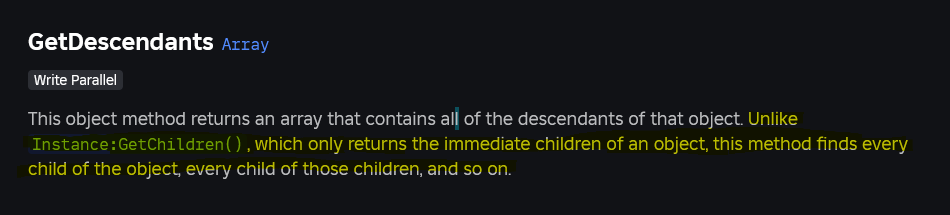
- `GetDescendants()`: If you need *all* children, grandchildren, and subsequent descendants, `GetDescendants()` is the direct function for this. It returns a table of every object nested within the given Instance, regardless of depth. This is often more efficient than writing your own recursive `GetChildren()` function for this purpose.
- `FindFirstChild(name, recursive)`: This method, when the optional `recursive` argument is set to `true`, will search not just direct children but also descendants for an object with the specified name. It's ideal when you need to find a single, named object deep within a hierarchy without knowing its exact parent chain.
- `ChildAdded` and `ChildRemoved` events: For scenarios where you need to react instantly to objects being added or removed from an Instance, connecting to these events is more efficient than repeatedly calling `GetChildren()`. They provide the added/removed child directly as an argument to the connected function.
- `CollectionService`: For tagging and retrieving groups of objects across your game that might not share a common parent, `CollectionService` is extremely powerful. You can tag objects with specific strings (e.g., "InteractiveObject", "LightSource"), and then retrieve all objects with that tag using `CollectionService:GetTagged("TagName")`. This decouples object grouping from the physical hierarchy and is fantastic for large-scale management.
- Manual `for` loops with `ipairs`/`pairs`: If you only need to iterate through a static, pre-defined list of references, a simple `for` loop over a custom table is sufficient. However, for dynamic content, `GetChildren()` is superior.
Choosing the right method depends on whether you need direct children, all descendants, specific named objects, or a way to group objects regardless of hierarchy. Combining these tools thoughtfully allows for robust and performant scripting.
How does GetChildren fit into a larger game architecture strategy?
In a well-designed Roblox game, `GetChildren()` isn't just a standalone function; it's a foundational component within a larger, organized game architecture. For gamers who enjoy skill-building and efficient systems, understanding how these pieces fit together is crucial. A good architecture ensures your game is scalable, maintainable, and performs well, even as it grows in complexity, helping developers avoid common headaches like setup issues or performance bottlenecks.
Here's how `GetChildren()` supports architectural strategies:
- Module-Based Systems: In a modular architecture, scripts often reference objects within specific folders or models. A module script might expose functions that use `GetChildren()` to manage the components of a complex system (e.g., a `ShopManager` module using `GetChildren()` on a `ShopItems` folder). This encapsulates logic and keeps it organized.
- Component-Based Design: Many modern games use a component-based approach where functionality is added to objects via separate scripts (components). `GetChildren()` can be used on a base object to find all attached component scripts or specific parts that act as components.
- Data-Driven Design: Games often load configurations from external data. `GetChildren()` allows you to dynamically instantiate objects based on this data (e.g., creating a level from a table of object definitions), then further manipulate those newly created objects using `GetChildren()` to attach scripts or set properties.
- Object Pooling: For performance-critical objects (like projectiles or particles) that are frequently created and destroyed, `GetChildren()` can be used on a 'pool' folder to quickly retrieve an inactive object and reuse it, reducing the overhead of constant instantiation and garbage collection.
- Scene Management: A `SceneManager` script might use `GetChildren()` on a parent 'Scenes' folder to load or unload different game levels or areas, ensuring the correct elements are present at the right time.
By leveraging `GetChildren()` within these structured approaches, developers can build robust and performant games that are easier to develop, debug, and expand over time, leading to more enjoyable and stable experiences for everyone.
What are the latest best practices for using GetChildren in 2026 Roblox development?
As Roblox development evolves, so do the best practices for using core functions like `GetChildren()`. In 2026, with the increasing demands for performance across diverse devices, greater emphasis on modularity, and the rise of AI-powered development tools, staying current is essential for any developer looking to deliver high-quality games. These practices help align with trends like social gaming and creator influence, ensuring your game remains competitive and user-friendly.
- Embrace Type Safety with Luau: With Luau's type checking, explicitly defining the type of objects you expect from `GetChildren()` can help catch errors early. While `GetChildren()` returns a generic `table
`, you can refine this when iterating (e.g., `for _, child: Part in ipairs(folder:GetChildren()) do if child:IsA("Part") then ... end`). - Prioritize `CollectionService` for Tagging: For loose grouping of objects (e.g., all interactive elements, all breakable props), `CollectionService` often outperforms relying solely on `GetChildren()` on a parent, especially when objects are scattered across the hierarchy. Use `GetChildren()` for strict hierarchical relationships, and `CollectionService` for arbitrary groupings.
- Use `ChildAdded`/`ChildRemoved` for Dynamic Lists: If your game frequently adds or removes children from a parent, subscribe to `ChildAdded` and `ChildRemoved` events instead of constantly calling `GetChildren()`. This event-driven approach is generally more performant and reactive.
- Cache Results Sparingly, but Effectively: For static collections of children that are accessed frequently, calling `GetChildren()` once and caching the result in a variable is a good practice. However, don't over-cache; if the children are truly dynamic, you need to re-fetch or use event listeners.
- Integrate with `DatastoreService` for Saving/Loading: When saving game states, use `GetChildren()` to serialize data from specific models or folders. Ensure you only save necessary properties to keep datastores lean, and then use `GetChildren()` again during loading to re-instantiate or update objects.
- Focus on Readability and Maintainability: Even with performance in mind, ensure your use of `GetChildren()` is clear and easy to understand for future you or other developers. Comment complex recursive functions and filter logic.
By adhering to these modern best practices, you'll ensure your `GetChildren()` usage is not only powerful but also aligned with the cutting-edge of Roblox development, helping you create engaging and efficient experiences that stand out.
Mastering the getchildren Roblox script is like having a well-organized toolbox for your creative projects. It empowers you to build dynamic, efficient, and scalable games without getting bogged down in repetitive manual object referencing. From managing complex UIs to enabling interactive game elements and optimizing performance for the broad spectrum of devices players use, `GetChildren()` is a fundamental skill that will serve you well. For those of us balancing our love for gaming with our busy lives, tools that streamline development are invaluable.
By understanding its core functionality, common use cases, and how to avoid potential pitfalls, you're not just learning a function; you're adopting a mindset of efficient game development. This allows you to focus on the fun, skill-building, and social aspects of creating, rather than wrestling with code. Keep building, keep creating, and keep those awesome ideas flowing efficiently!
What's your biggest challenge when scripting dynamic object interactions in Roblox? Comment below!
FAQ Section
Is GetChildren an expensive operation?
Calling `GetChildren()` is generally efficient, but it becomes 'expensive' if performed excessively in fast-running loops or on extremely large parent objects with thousands of children. For static object lists, call it once and cache the result. For dynamic lists, use `ChildAdded`/`ChildRemoved` events for better performance.
Does GetChildren return descendants or only direct children?
The `GetChildren()` method strictly returns only the *direct* children of an Instance. It does not return grandchildren or any deeper descendants in the object hierarchy. If you need to retrieve all descendants, use the `GetDescendants()` method instead, which is designed for that specific purpose.
Can GetChildren be used on Player objects?
Yes, `GetChildren()` can be used on a Player object to retrieve its direct children, which typically include their `Backpack`, `PlayerGui`, `PlayerScripts`, and sometimes their `Character` (though the Character is usually parented to `game.Workspace`). It's useful for managing player-specific inventories or UI elements.
What type of value does GetChildren return?
`GetChildren()` returns a standard Lua table. This table contains all the direct children of the Instance it was called on, with the children indexed numerically (1, 2, 3, etc.). You typically iterate over this table using a generic `for i, child in ipairs(table) do` loop.
When should I use GetChildren versus FindFirstChild?
Use `GetChildren()` when you need to iterate through or process *all* direct children of an object. Use `FindFirstChild()` when you know the *exact name* of a specific direct child you want to retrieve. `FindFirstChild()` is faster for targeting one known item, while `GetChildren()` is for collections.
Can I sort the table returned by GetChildren?
Yes, you can sort the table returned by `GetChildren()` using `table.sort()`. Since `GetChildren()` does not guarantee any specific order, if you need children in an alphabetical or numerical sequence, you must apply `table.sort()` with a custom comparison function (e.g., `table.sort(children, function(a, b) return a.Name < b.Name end)`).
Essential for object management in Roblox scripting, simplifies hierarchy traversal, key to dynamic game elements, improves script efficiency, crucial for performance optimization, fundamental for UI management, avoids manual object referencing.
35


How To Use GetChildren In Roblox Studio A Clear Guide . Scripting Roblox Kelas Ekstensi Roblox Studio Indonesia . GetChildren Roblox Scripting Tutorial YouTube . How To Use GetChildren In Roblox Retrostudio YouTube Hqdefault . Is GetChildren Scripting Support Developer Forum 2 690x322



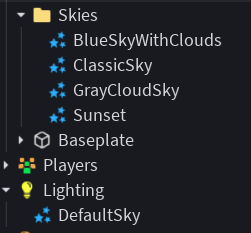
Contoh Roblox Scripts 2026 Panduan Lengkap Untuk Pemula Jurnal Ngawi 3789630207 . Script Roblox Tutorial H Ng D N Chi Ti T V Y Cho Ng I M I Learn Roblox Scripting Web Copy . GetChildren Problem Scripting Support Developer Forum Roblox . Skybox Changer Script Scripting Support Developer Forum Roblox . Skybox Changer Script Scripting Support Developer Forum Roblox





Skybox Changer Script Scripting Support Developer Forum Roblox 2 690x116 . GetChildren Vs Scripting Support Developer . What Is A Roblox Script How To Create One Hq720 9 2 1144x644 . A Mother Or Father S Information To Utilizing Roblox In 2026 Ivugangingo 2026 Parental Guide For Roblox Usage UnicMinds . Get Children And Get Descendants Level 2 Scripting Roblox Studio


Best Roblox Clone Script For Gaming Startups 2026 Roblox Clone Script.webp. How To Message On Roblox 2026 A Quick Guide SL1500 . Link Check Results For Roblox Flight Script Superman Style Pages Dev E00a8e8f D75f 45b1 Acdf. Roblox GetChildren Roblox YouTube . How Can I Get All Children In A Folder Scripting Support Developer


GetChildren Only Works Sometimes Scripting Support Developer Forum . GetChildren Descendants Roblox Scripting Tutorial Begginers Scripting . Roblox Clicker Scripts 2026 Rebirth Champion X Script . Asystent Centrum Tw Rc W Roblox Studio Script Insert . GetChildren Vs Scripting Support Developer





ROBLOX Scripting GetChildren Function YouTube . GetChildren Won T Get All The Children Scripting Support Developer 2 690x431 . How To Use GetChildren In Roblox Studio A Clear Guide Roblox Press Image 4 . How To Move Multiple Parts With GetChildren Math Random . How To Message On Roblox 2026 A Quick Guide



The BEST Beginner Guide To SCRIPTING In Roblox Part 3 Roblox Studio Hqdefault . BEST KEYLESS GAG SCRIPT Roblox Grow A Garden Script Review . What Is The Difference Between GetChildren And 2 690x296 . NEW How To Use Roblox Scripts TUTORIAL YouTube . 15 Game Roblox Horror Terbaik 2026 15 Game Roblox Horror Terbaik 2026 Paling Seram And Bikin Deg Degan 7f944699ce